 Just Said
Private meeting recorder
Record the meeting. Get the summary.
Set your iPhone on the table and tap Record. The transcript writes itself as people talk.
When the meeting ends, you get a short summary: the key points in the order they came up, including what was decided, what happens next, and what’s still undecided.
No account, no servers. We never receive your recordings or transcripts.
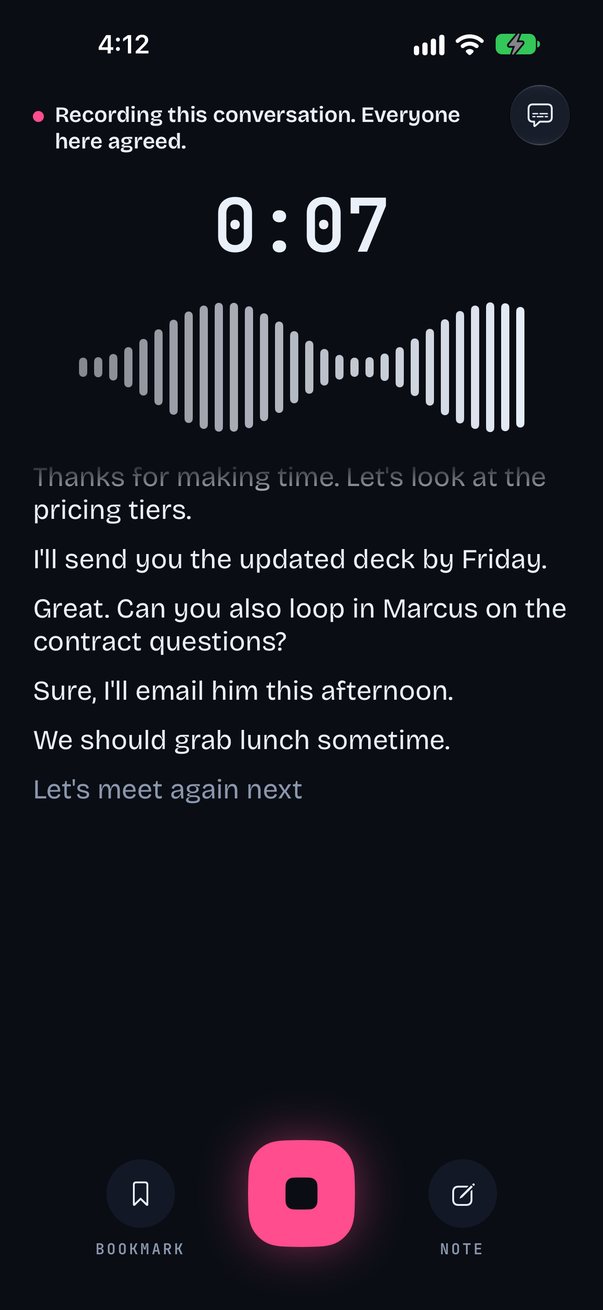
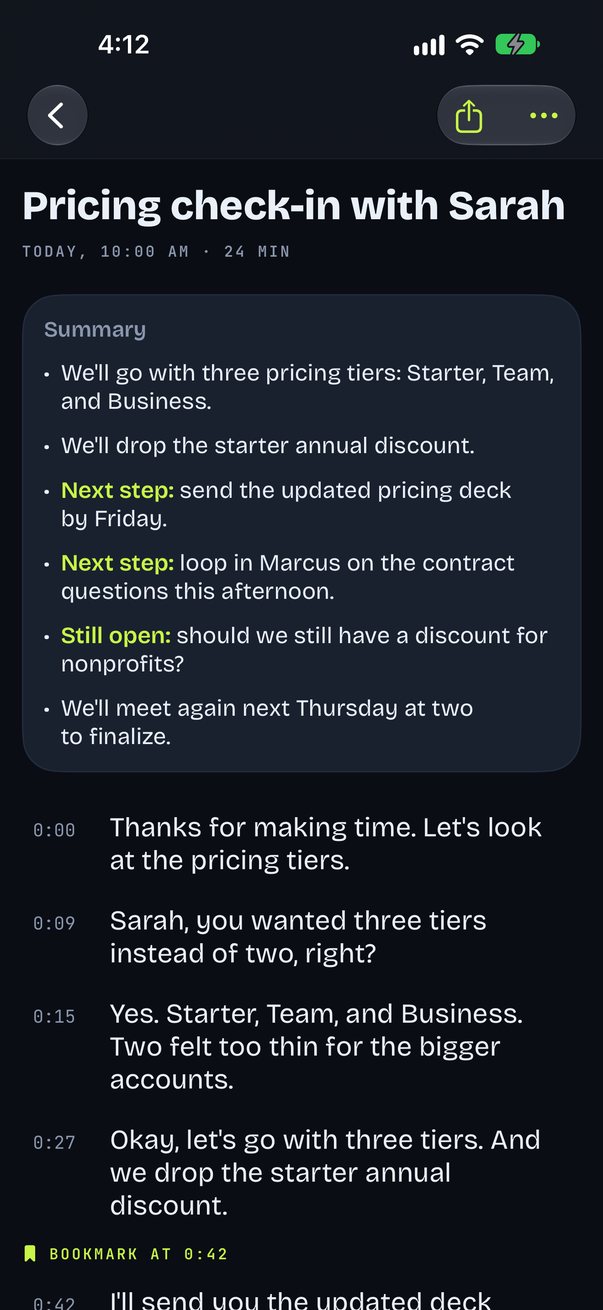
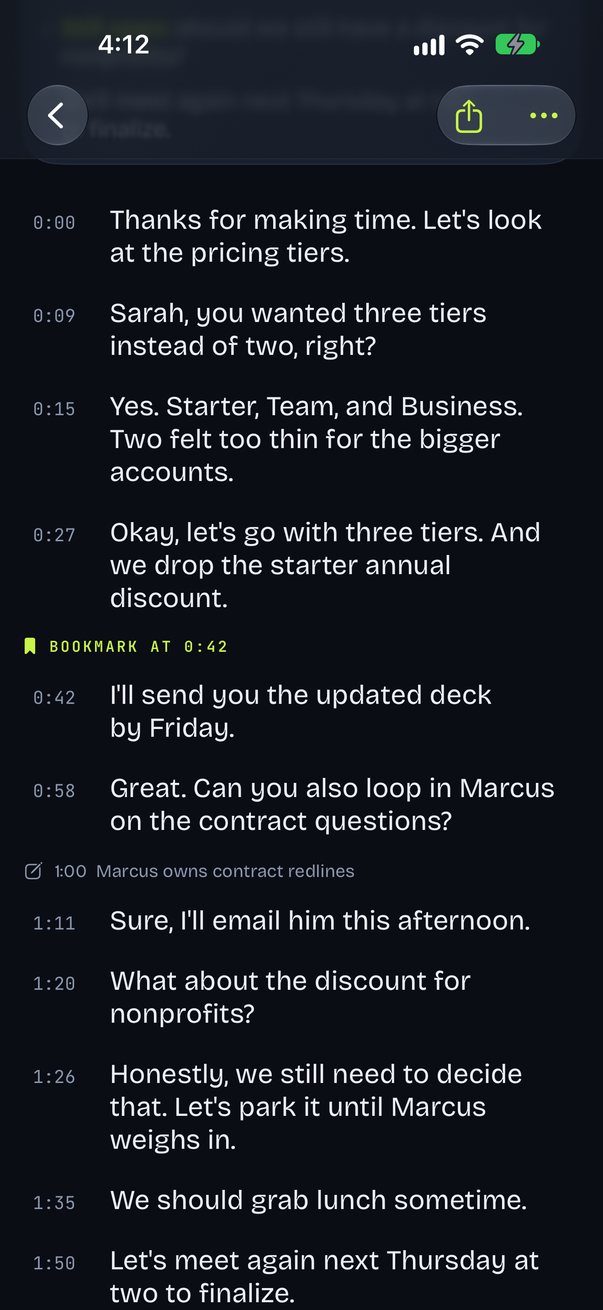
Transcripts and summaries are made on the device. No account, no servers.
Ask questions across all your meetings, with the moment it was said.
Control Center, the Lock Screen, Siri, or the Action Button.
Try it here
Watch a meeting become a summary
An example meeting plays on its own. Tap Replay to watch it again.
A working sketch of Just Said, running in your browser. The screens above are the app itself.
Summary · Pricing check-in
- We’ll go with three pricing tiers: Starter, Team, and Business.
- We’ll drop the starter annual discount.
- Next step: send the updated pricing deck by Friday.
- Still open: should we still have a discount for nonprofits?
How it works
Record
Set your iPhone on the table and tap Record, or start from Control Center, the Lock Screen, Siri, or the Action Button.
Follow along
The transcript writes itself as people talk. Tap Bookmark to mark a moment, or Note to type one.
Stop
Press and hold Stop to end the meeting. It’s a hold, so a meeting can’t end by accident.
Read the summary
The meeting opens with its summary on top and the full transcript below it, each meeting titled for you.
A summary you can read in seconds
The key points, in order
The key points of every meeting in the order they came up: what was decided, what happens next, and what’s still undecided.
Ask across meetings
Ask a question across all your meetings and jump to the moment it was said.
Private by design
Transcripts and summaries are made on your iPhone. No account, no servers. We never receive your recordings or transcripts.
A consent line, always on
A consent line stays on screen whenever you record, and you can change its wording in Settings.
Linked to the audio
Bookmarks and notes are linked to the audio, with playback and search.
Captions across the table
Big-text captions you can turn to face someone across the table.
Free to record
Recording and transcripts are free and unlimited, along with bookmarks, notes, playback, search, and captions.
Pro (requires Apple Intelligence) adds a summary after every meeting and Ask across all your meetings. Your first 3 meetings include summaries, so you can try it first.
Pro: $3.99 a month, $29.99 a year, or $59.99 once. Subscriptions renew until canceled in Settings.
Nothing leaves your iPhone
Recordings, transcripts, notes, and summaries are made and stored on your iPhone. There is no account and no server, and Just Said contains no analytics, advertising, or tracking.
Always tell people when you’re recording, and follow the laws where you are.
Read the Privacy Policy and Terms.
Record the meeting. Get the summary.
Just Said is in App Review now. It needs an iPhone with iOS 27; summaries and Ask need Apple Intelligence.
Coming soon to the App StoreQuestions? Visit support or email support@onworld.tech.