 Just Grade
Log & LUT Color Grading
Grade your iPhone video in minutes.
Shoot log, pick a look, fix the shot, export.
Just Grade reads Apple Log, iPhone HDR and the major camera log formats, converts the log first, then applies the look. Real scopes, your own LUTs, and a compare wipe, all on your iPhone.
No account. Your clips never leave your iPhone.
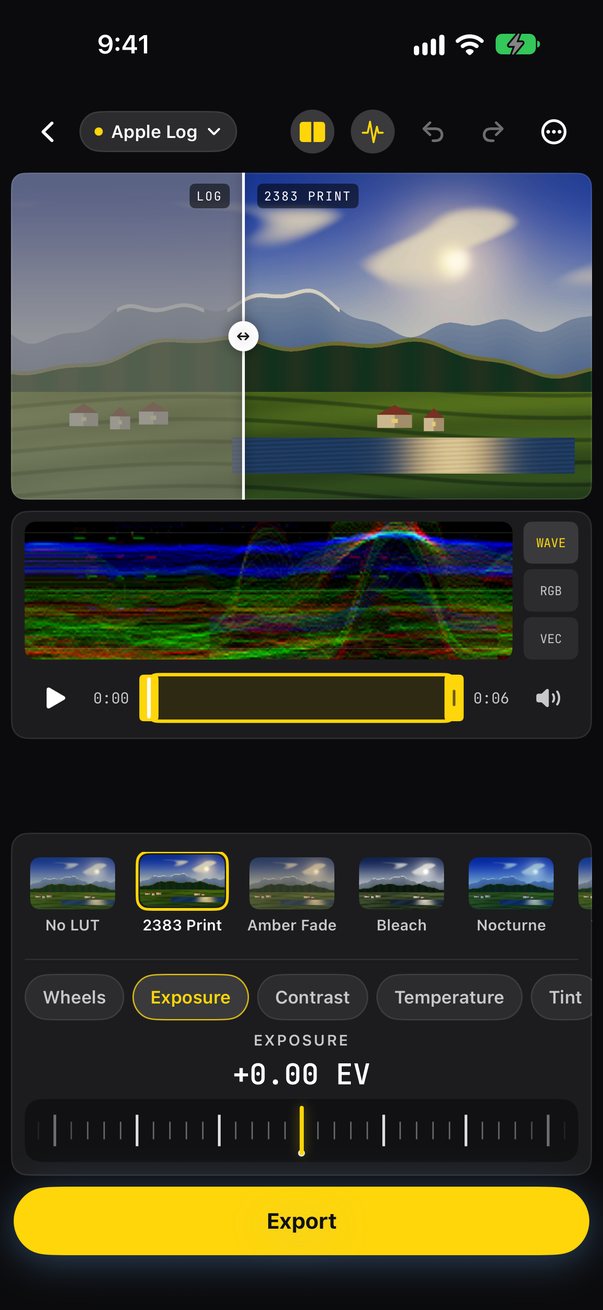
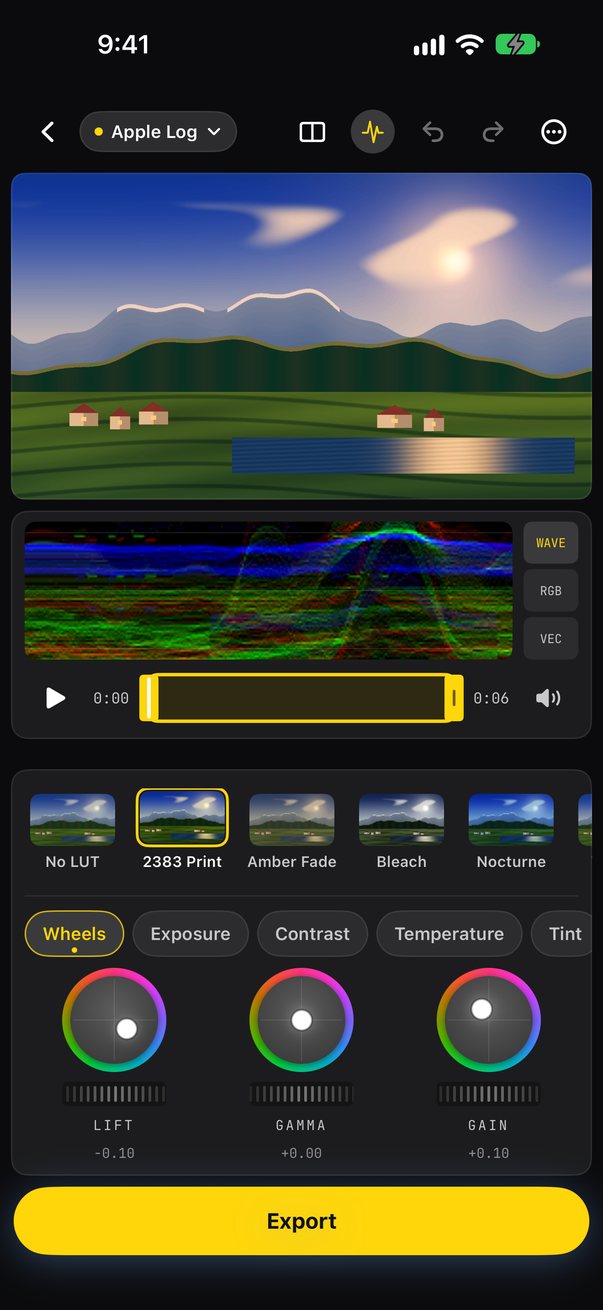
Apple Log, Apple Log 2, HLG and PQ are detected from the file, and four camera log formats are one tap away.
Import .cube files. Conversion LUTs and creative LUTs each get the input they were built for.
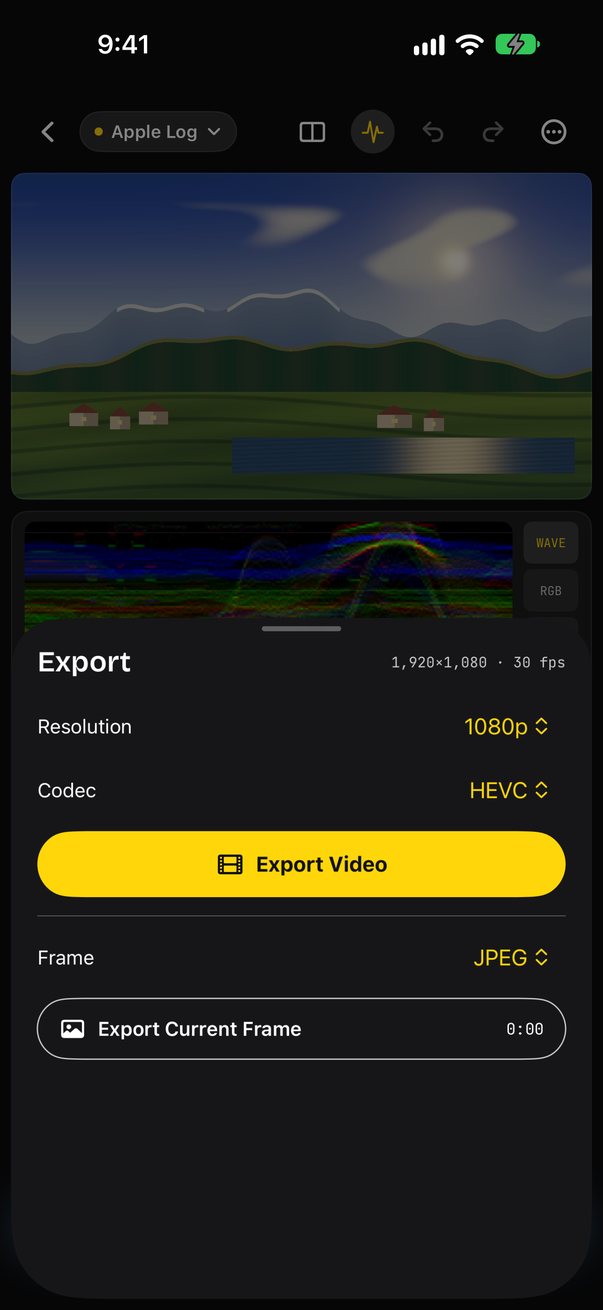
1080p, 4K or original resolution, in HEVC, H.264 or ProRes 422.
Try it here
Grade a clip
Drag across the frame to compare with the original log, then try a look and its strength.
A working sketch of Just Grade, running in your browser. The screens above are the app itself.
How it works
Shoot log
Just Grade detects Apple Log, Apple Log 2, iPhone HDR (HLG) and PQ from the file. For other cameras, pick Sony S-Log3, Panasonic V-Log, ARRI LogC3 or Fujifilm F-Log2 by hand.
Pick a look
Start from No LUT (the clip as shot), 2383 Print, Amber Fade, Bleach, Nocturne or Teal Lift, or import your own .cube LUTs from Files. Set the look strength anywhere from 0 to 100%.
Fix the shot
Exposure, contrast, temperature, tint, saturation, highlights and shadows, plus Lift/Gamma/Gain color wheels, sharpness, vignette, grain and halation.
Export
Export at 1080p, 4K or the original resolution in HEVC, H.264 or ProRes 422. Trim first, then save to Photos or share.
Built for the way you shoot
Log first, look second
Each clip is converted from its log profile before the look goes on, so a look made for Rec.709 lands the way it was meant to.
Your LUTs, classed for you
Every LUT you import is marked “expects log” or “expects Rec.709” automatically. If it guesses wrong, long-press the LUT and switch it.
Real scopes
An RGB waveform, an RGB parade, and a vectorscope with a skin-tone line, right under the picture while you grade.
See before and after
Drag the compare wipe across the picture, pinch to zoom in on detail, and undo or redo any change.
Recipes
Save a grade as a recipe and apply it to the next clip from the same shoot.
Frames, too
Pull a still from any moment as a JPEG or a 10-bit HEIC.
Also in the app
- A built-in Apple Log sample clip to try before you shoot
- Trim, play and mute right in the editor
- Look strength from 0 to 100%
- .cube 3D and 1D LUTs imported from Files
Free to grade
Just Grade is free to download and grade. Free includes everything up to 1080p HEVC and H.264 export, the built-in looks, 2 imported LUTs, 3 recipes, and the waveform.
Just Grade Pro is $19.99 a year with a 3-day free trial for new subscribers, or $49.99 once for lifetime access with Family Sharing. Pro adds:
- 4K and full-resolution export
- ProRes 422 export and 10-bit HEIC frames
- Color wheels, plus grain and halation in exports
- The RGB parade and the vectorscope
- Unlimited LUTs and recipes
You can preview Pro features for free. Export asks for Pro, and you can always export without them.
Payment is charged to your Apple Account. The yearly plan renews automatically unless cancelled at least 24 hours before renewal. Manage or cancel it anytime in Settings › Apple Account › Subscriptions. Prices are in USD and may vary by region.
Your footage stays yours
No account, no analytics, no ads and no tracking. Your clips, LUTs, projects and recipes stay on your iPhone, and every grade is processed on the device.
Just Grade asks for add-only Photos access, and only to save your exports. Clips come in through the Photos picker or Files, which don’t give the app access to your whole library.
Read the Privacy Policy and Terms.
Shoot log. Pick a look. Export.
Just Grade.
Coming soon to the App StoreQuestions? Visit support or email support@onworld.tech.