 Theta
ThetaCamera Import
Open the app. Your photos arrive.
Theta brings photos from your camera to your iPhone the moment you open it.
No connect button. No folders. Theta wakes your camera over Bluetooth, switches on its Wi-Fi, and your newest frames start arriving on the home screen as full-resolution originals, never a shrunken copy.
No account. No cloud. Theta talks to your camera and to Photos, nothing else.
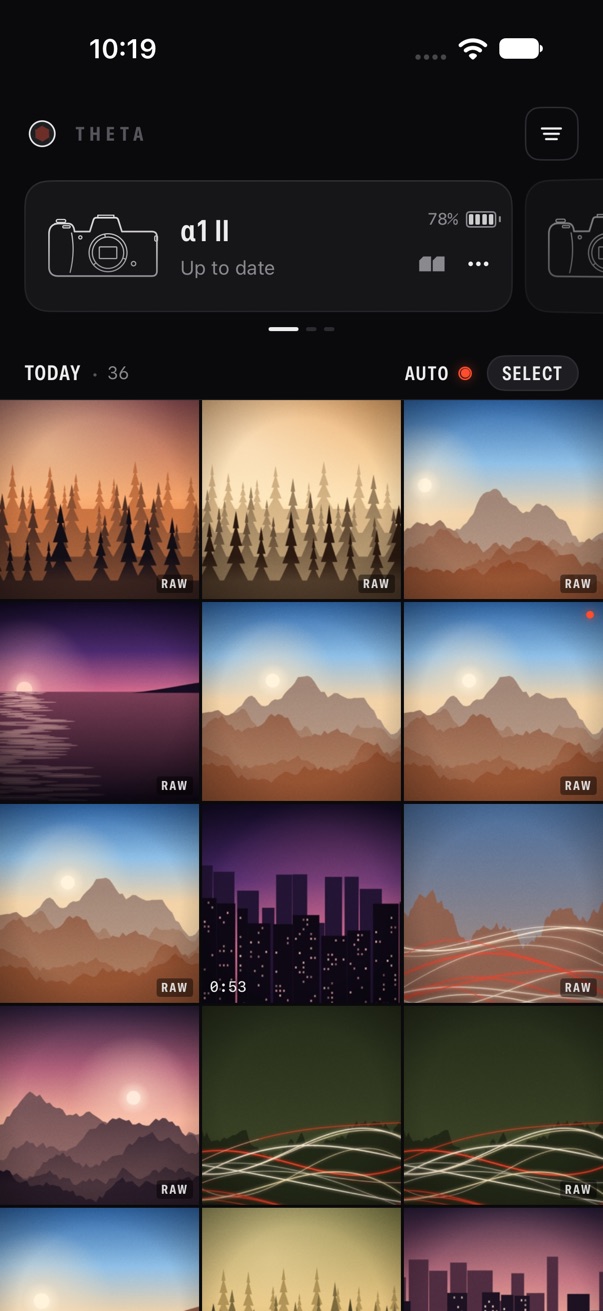
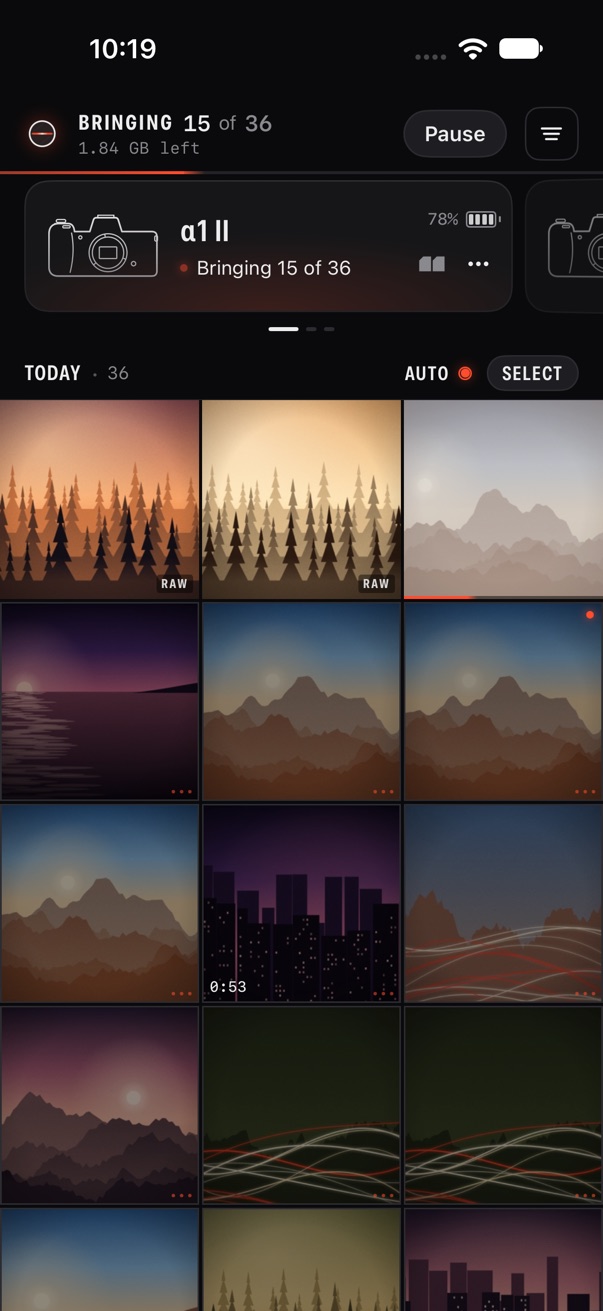
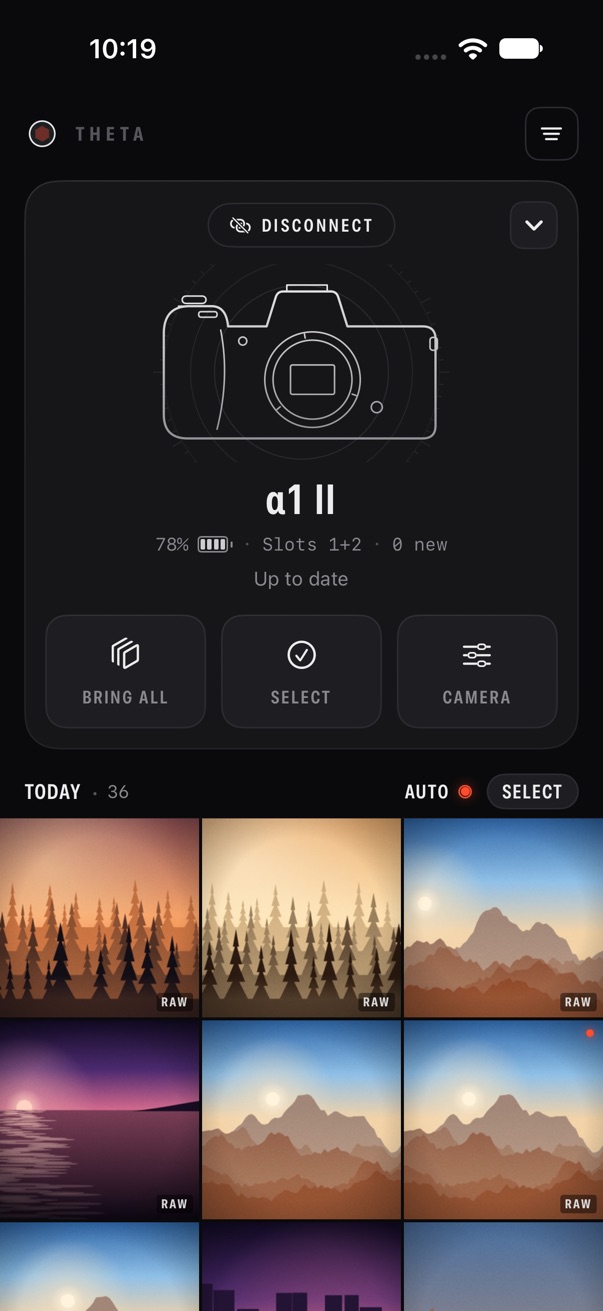
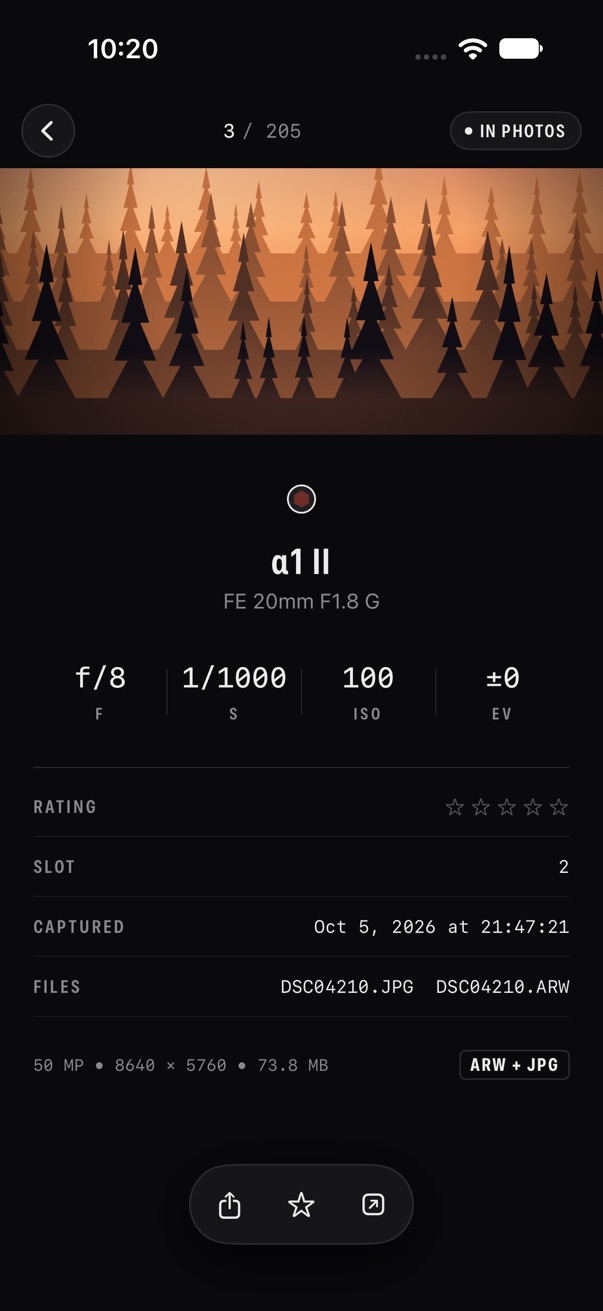
Open the app with a paired camera on, and new frames start arriving. There is no connect button.
Full-resolution files. RAW + JPEG land in Photos as a single photo.
Theta never deletes anything on your card.
Try it here
Open Theta
Watch the camera wake and the new frames develop into the reel. Then try Picks only, or change how RAW lands in Photos.
A working sketch of Theta, running in your browser. The screens above are the app itself.
Dim frames are still on the card. Theta never deletes anything there.
How it works
Pair once
On the camera, go to MENU › Network › Bluetooth › Pairing. Open Theta, and it finds the camera and pairs.
Open the app
Theta wakes the camera over Bluetooth, switches on its Wi-Fi and joins it. The status sits on the camera card in words, never in a pop-up.
Photos arrive
Thumbnails fill the reel first, then the originals follow, newest first. Each one goes into your Photos library as it completes.
What makes it different
One screen
Your camera sits at the top. Its photos stream in right underneath, developing as they land. Swipe between bodies. Tap a frame to look closer.
Originals, paired
RAW + JPEG land in Photos as a single photo, the way Photos expects them. Or choose JPEG only, or RAW only.
Only your picks
Rate or protect frames on the camera and bring just those. Or bring everything new, automatically.
Nothing lost, nothing deleted
Your reel stays put when the camera sleeps. Theta never deletes anything on your card.
No 2MP downgrade
Originals are the default. A small preview only stands in while the full file is on its way.
Private by design
No account. No cloud. No analytics. Theta talks to your camera and to Photos, nothing else.
Also in the app
- Aperture, shutter, ISO and exposure for every frame
- Filters for picks, RAW, video and what isn’t on your phone yet
- A one-off “Bring everything on card” when you want it all
- Add-only Photos access: Theta can’t read your library
Free with one camera
Theta is free with one camera: auto-bring, originals, and RAW + JPEG paired in Photos, always.
Theta Pro is for more than one camera. It is $19.99 a year with a 3-day free trial for new subscribers, and adds:
- Every camera you own, paired
- One swipe between bodies, each with its own reel, settings and auto-bring
Payment is charged to your Apple Account. The yearly plan renews automatically unless cancelled at least 24 hours before the end of the current period. Manage or cancel it anytime in Settings › Apple Account › Subscriptions. Prices are in USD and may vary by region.
Works with Sony Alpha bodies that support smartphone connection, including α1 II, α7R VI and α7 V. Theta is not affiliated with or endorsed by Sony Corporation.
Your photos go one way
Files go straight from your camera into your Photos library. There is no account, no analytics and no server of ours in between.
Theta asks for add-only Photos access, so it can save photos but can’t see your library. Bluetooth and Local Network are used only to reach your camera.
Read the Privacy Policy and Terms.
Open the app. That’s the whole workflow.
Theta, by On World Tech.
Coming soon to the App StoreQuestions? Visit support or email support@onworld.tech.