 Just Roll
Read your script. Roll camera.
Read your script while you look into the lens.
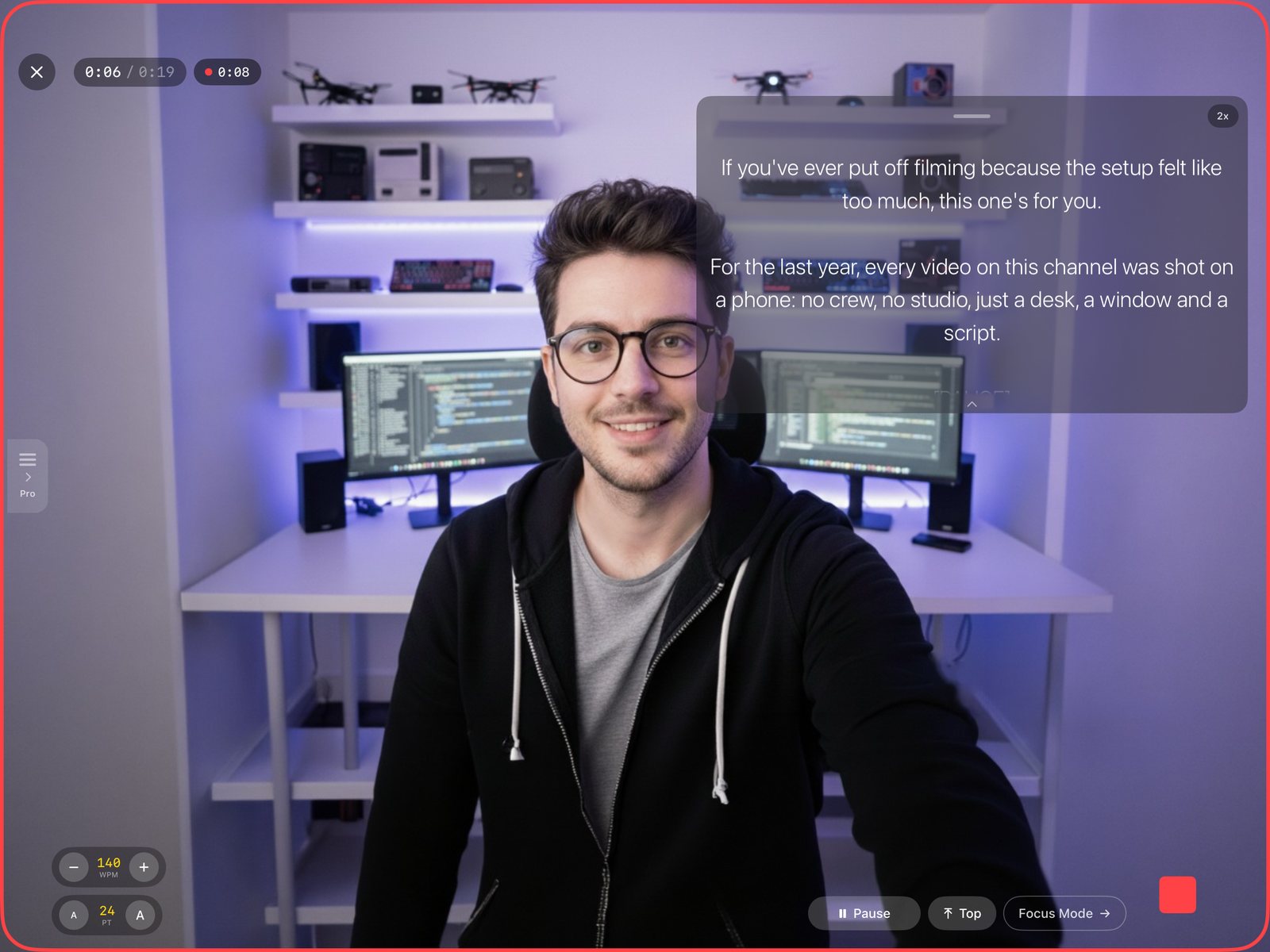
Just Roll floats your words over the camera preview, so you keep eye contact and finish the take without memorizing a line.
Write it. Roll it. Post it.
For iPhone and iPad. Free for 3 prompter sessions every month.
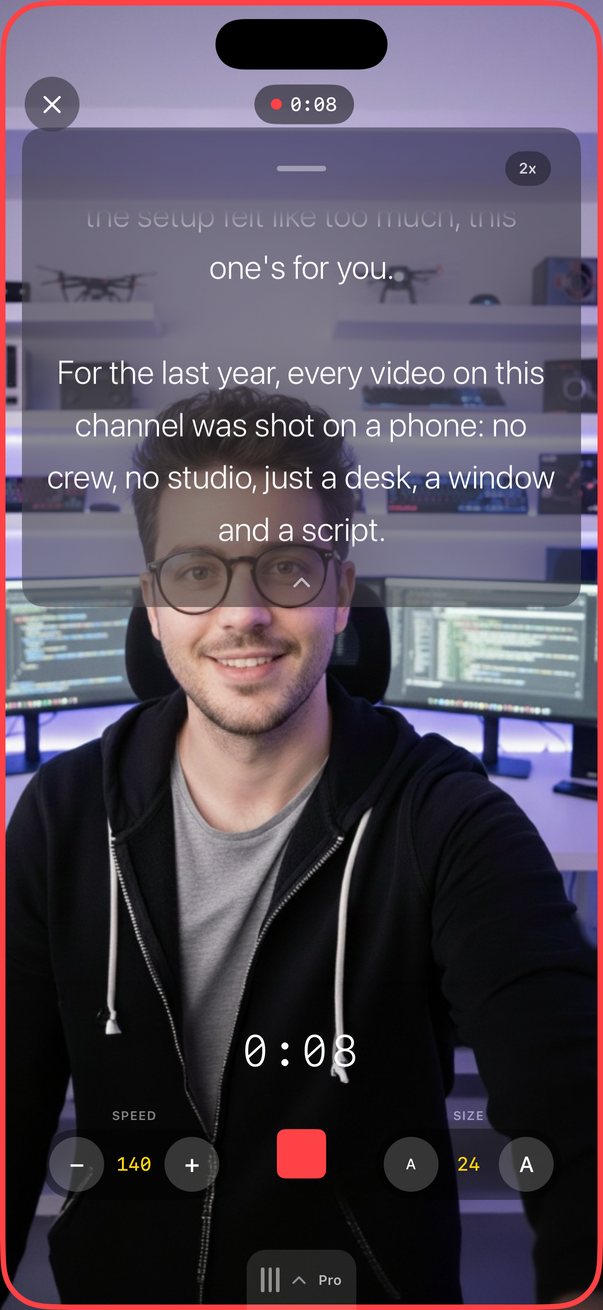
Your script floats over the camera preview, right under the lens.
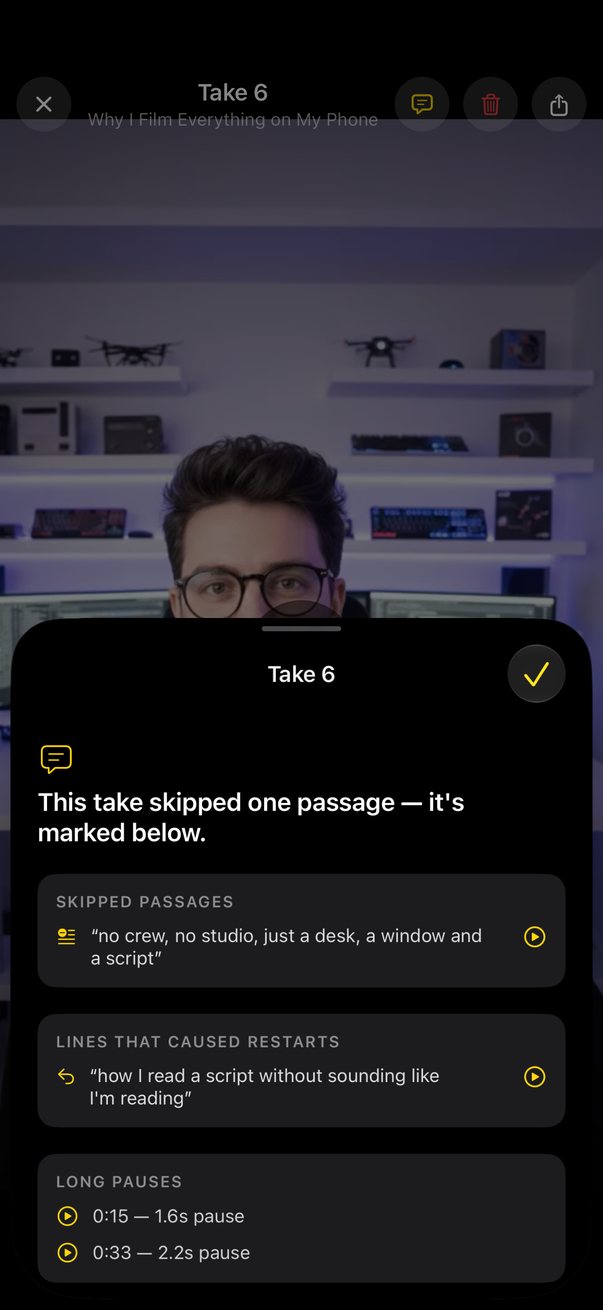
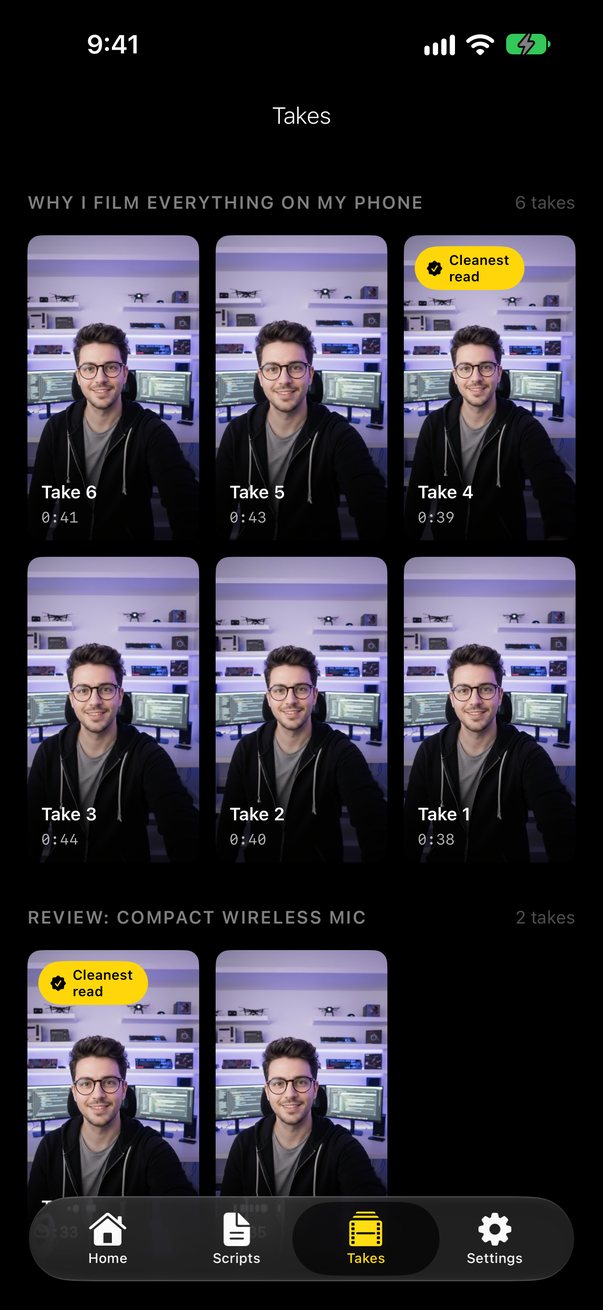
What you skipped, restarts and long pauses, and a “Cleanest read” badge.
Keyboards, clickers, foot pedals, game controllers and more, every button remappable.
Try it here
Roll the prompter
Change the speed while it rolls, switch to Focus Mode, or turn off bionic reading.
A working sketch of Just Roll, running in your browser. The screens above are the app itself.
Built for the take
A prompter that matches your pace
Set words per minute once; adjust live with a tap, swipe or remote. Hover Mode floats the prompter over your camera preview; Focus Mode goes full screen. Bionic reading highlights keep your eyes on the line, with a 2-second lead-in before the scroll starts.
Take Reports (Pro)
After you record, Just Roll checks the take against your script: what you skipped, shown in your script’s own words; restarts and long pauses, each playable at the exact moment; your real speaking pace next to your prompter setting; and a “Cleanest read” badge, so you stop rewatching yourself to choose. Your first report each month is free. (Requires iOS 26 and a supported language.)
AI Script Coach (Pro)
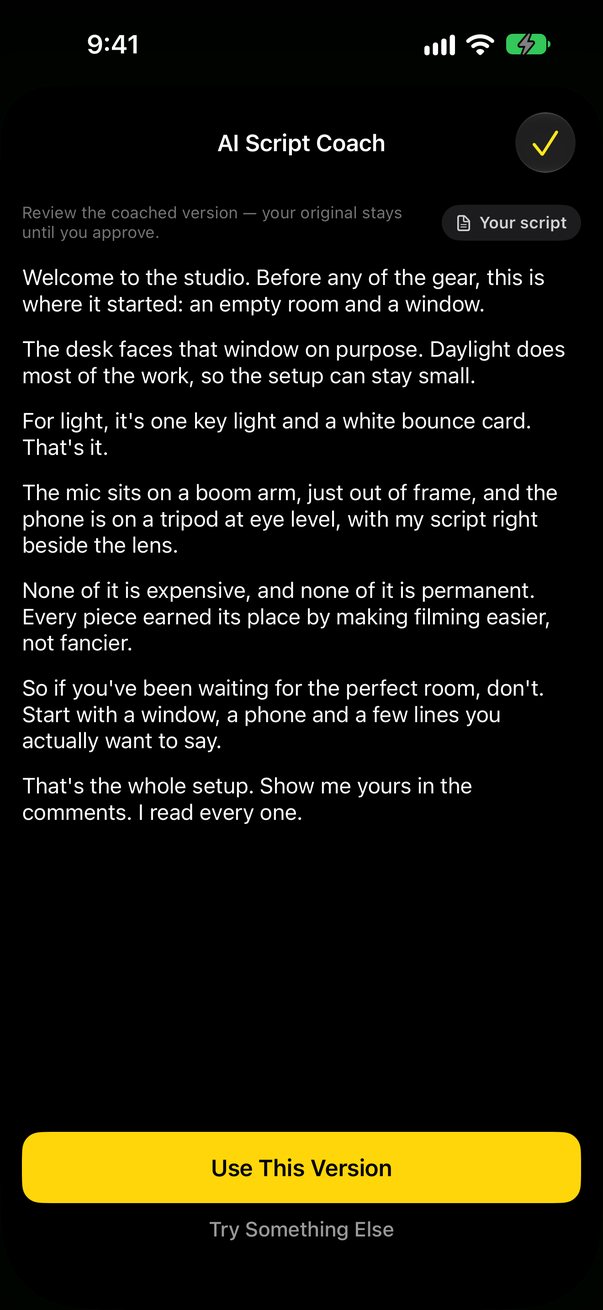
A writing coach that runs on your device. Write It From My Notes turns bullet points into a full spoken draft; Make It Spoken rewrites essay-ish drafts to sound like you talking; Tighten to Time fits your script to a 30-second to 3-minute read at your pace; Hook Ideas offers three alternative openings. Nothing replaces your script until you approve it, and nothing is uploaded. (Requires Apple Intelligence.)
Your takes are saved
A phone call, a swipe to the Home Screen, even a full disk: your footage is finalized and saved. Takes are numbered by script and auto-save to your Takes library, Camera Roll or both. Bad take? Tap Go Again to scrap it unwatched and start back at your first line.
Run it from across the room
Six kinds of remotes, every button remappable: Bluetooth keyboards, presentation clickers, foot pedals, game controllers (PlayStation, Xbox, MFi), headphone and media remotes, and volume buttons. Map any of them to start/stop, speed, page jumps, font size or recording.
Record the way you want
Record up to 4K, front or back, with zoom, tap-to-focus, AF/AE lock and a ring-light mode that makes your screen a soft key light.
On iPad, too
Free and Pro
Just Roll is free for 3 prompter sessions every month, with full recording features and no watermarks. Just Roll Pro adds:
- Take Reports on every take
- AI Script Coach, on-device and private
- Unlimited sessions
Monthly $0.99 · Annual $9.99 (7-day free trial for new subscribers) · Lifetime $19.99, paid once.
Prices shown in USD; your App Store storefront sets the final price. Subscriptions renew automatically unless canceled at least 24 hours before the end of the current period.
Private by design
No accounts. Take Reports and the Script Coach run on your device; your voice and script never leave your phone.
Read the Privacy Policy and Terms.
Finish the take without memorizing a line.
Download Just Roll and read your script while you look into the lens.
Download on the App StoreQuestions? Visit support or email support@onworld.tech.